DNA - Dynamic Niagara for Animation
Control Niagara system parameters directly from animation montages
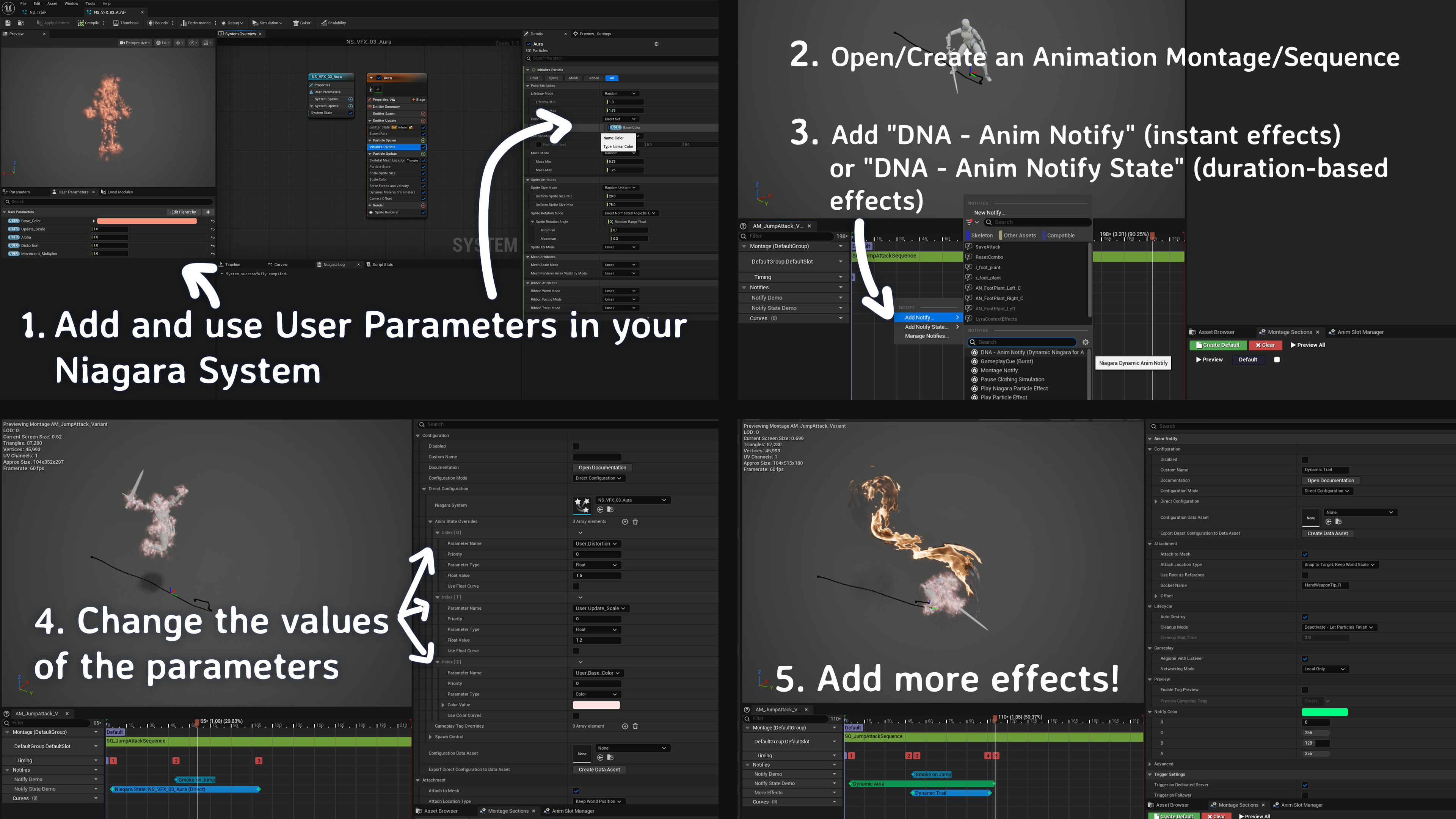
Configure Niagara Parameters Directly in Animation Editor
Set particle colors, intensity, scale, and all Niagara user parameters directly in your Animation Montage timeline.
See real-time changes in the preview window without ever leaving the animation editor.
No more jumping between systems just to tweak a fire spell's color or explosion size.

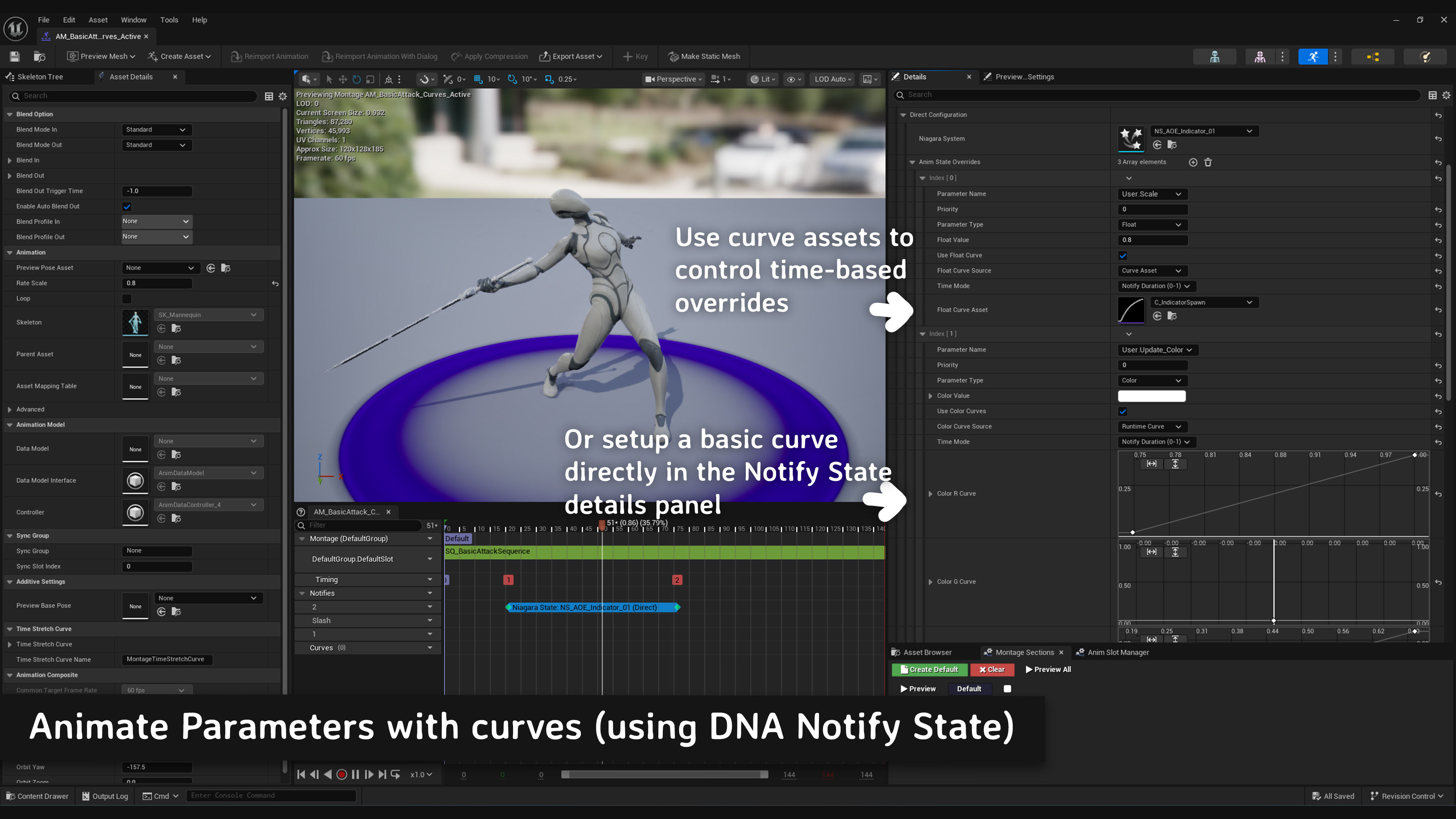
Animate Parameters Over Time with Curves
Use curves to animate particle intensity, color transitions, size changes, and any parameter over the effect's duration.
Perfect for sword trails that build up intensity, magic spells that surge with power, or environmental effects that naturally fade in and out.
Contextual Effects Based on Game State
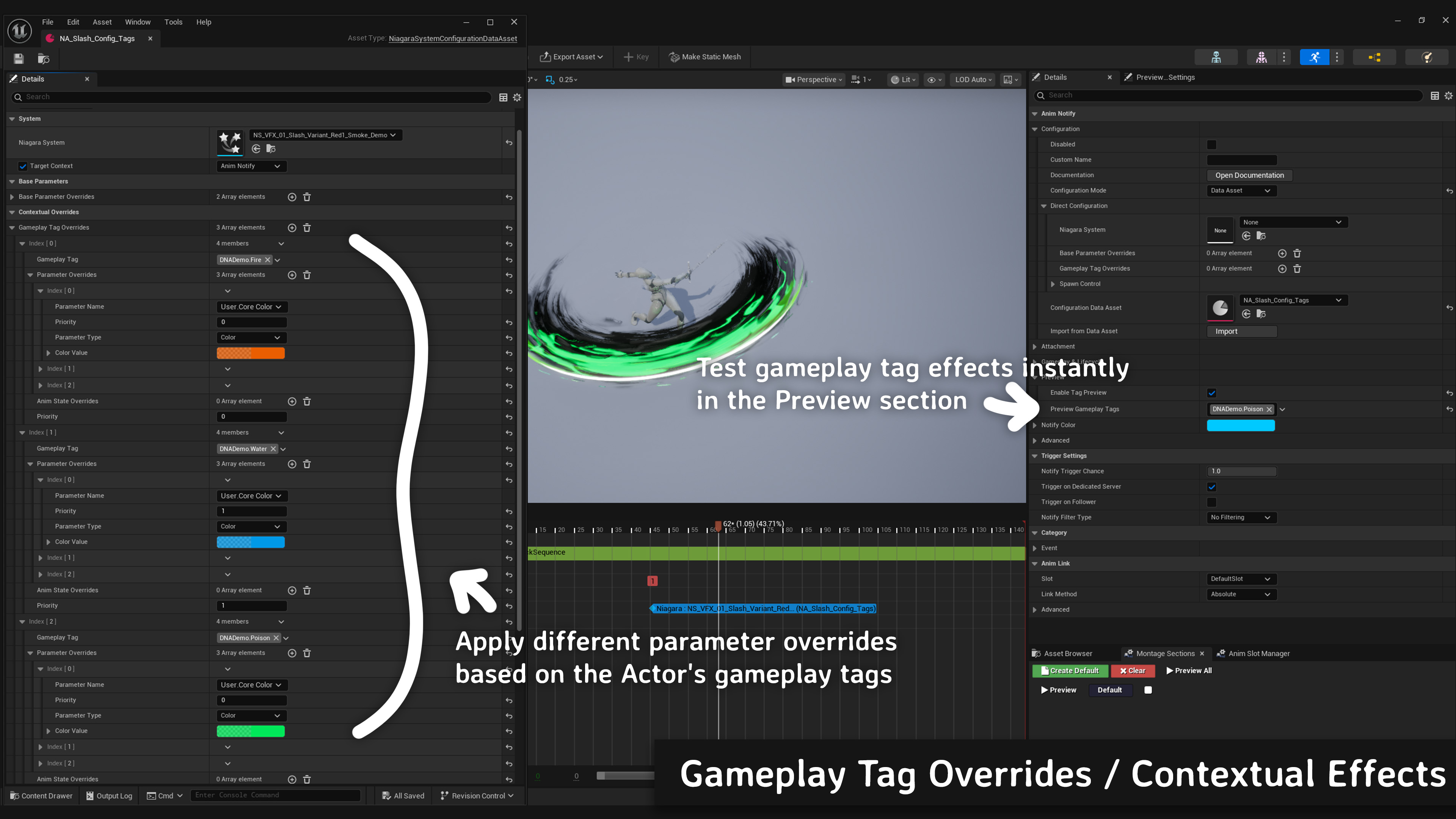
Effects can adapt to gameplay tags - fire spells turn blue in water, weapon trails glow brighter during combat, environmental effects change with weather.
Your character's power level, status effects, and world conditions dynamically modify visual effects without scripting using a simple component and Gameplay Tags.
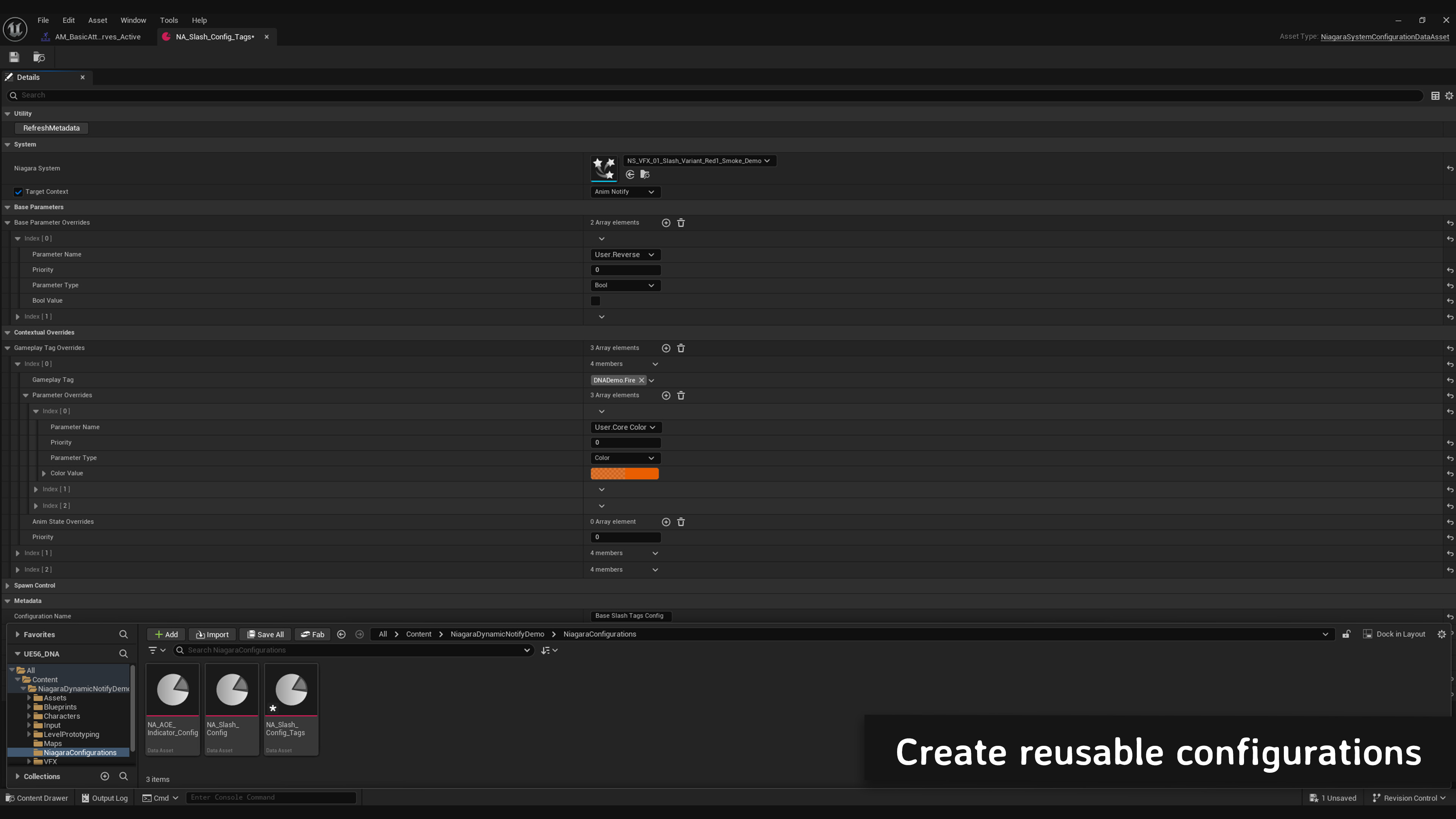
Create reusable configurations
Create shareable Data Assets that multiple animations can reference.
Update one effect parameters and see changes across your entire game.
Preview Gameplay Scenarios in Editor
Test "what if" scenarios without entering Play mode
Preview how your sword slash looks when the player is at maximum power level, during a storm, or with fire enchantments active.
Simulate any combination of gameplay tags directly in the Animation Montage editor for instant visual feedback.
DNA - Dynamic Niagara for Animation
The easiest way to control Niagara parameters in animations
- Unreal Engine 5.6+
- Enhanced Animation & Niagara System integration
- Supports both Notify and Notify State workflows
- No C++ required